Screen Name
|
|---|
Central Reservation
|
Open Link
|
Log in - Booking Portal - Central reservation
|
Summary
|
The screen displays information such as booking code, guest name, stay date... of the Agent's reservation on the Booking Portal
|
Screen
|
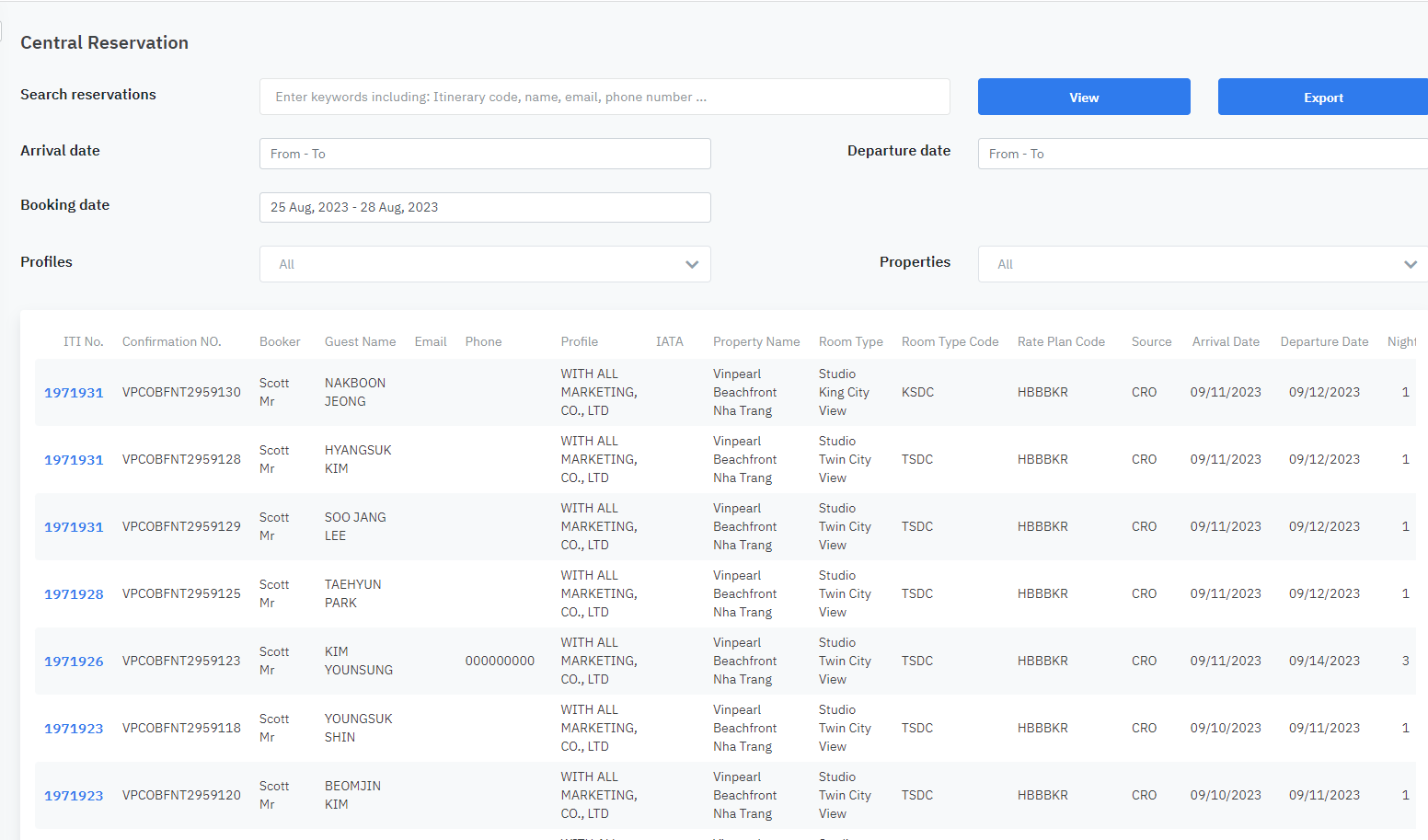
|
Fields Description
|
1. Filter and search:
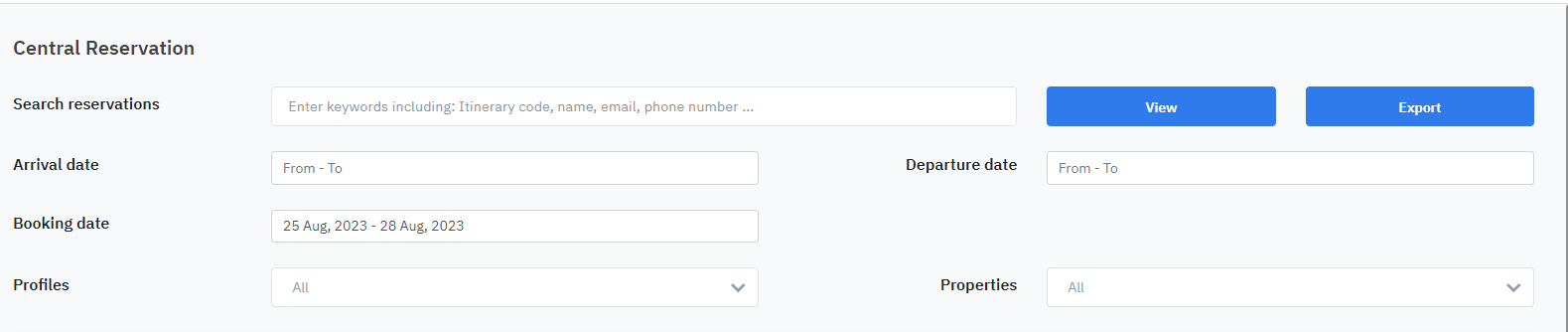
(1) Search reservations: enter information such as booking code, guest name, phone number... (2) Arrival date: select the arrival date of the booking for a specific period (3) Departure date: select the departure date of the booking for a specific period (4) Booking date: select the booking date for Booking within a specific period (5) Profiles: select agent information from the available list (6) Properties: Select a facility/hotel based on the available information 2. Detailed information for each booking

(1): Screen displaying detailed information of the booking 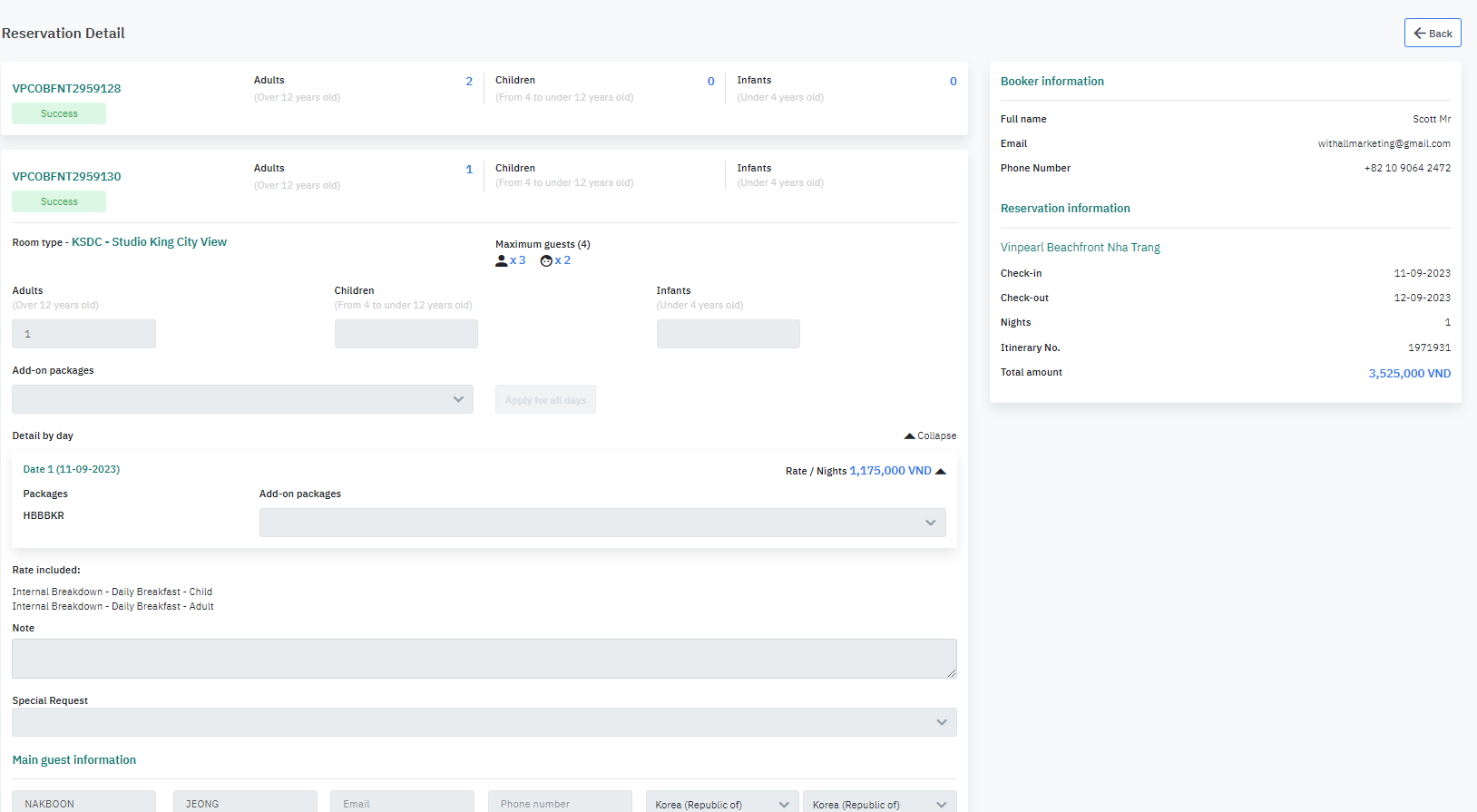
(2) Select View to see detailed information at (1). (3) Select Edit to modify the information. (4) Select Resend confirmation to resend the booking confirmation email. |
Remarks
|
|
When filtering by Booking Date, select a date range that includes the booking date. For example, if a booking was made on 24 Oct, select a date range from 23 Oct to 25 Oct to ensure the booking is included in the search results. |