Screen Name
|
Rate Plan Template
|
Open Link
|
Log in – Rate Service Management – Template – Rate Plan Template
|
Summary
|
The screen allows you to define the rate plan template that configures a default list of rate plans. The template can be distributed to many properties in the chain/organization.
|
Screen
|
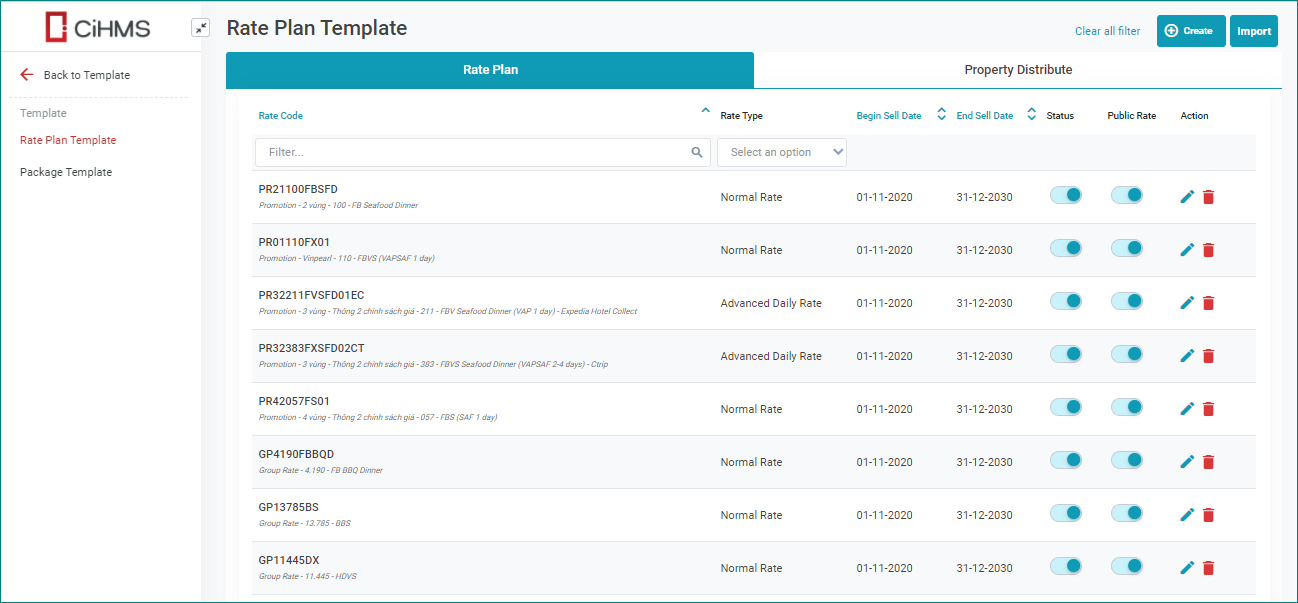
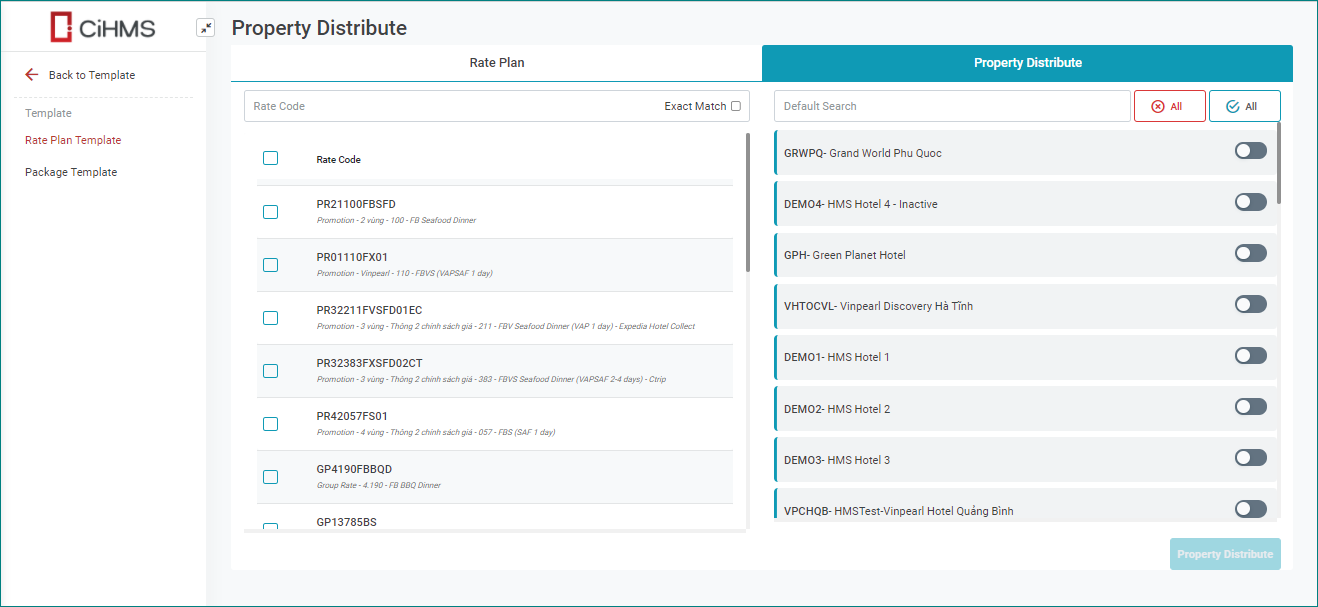
|
Fields Description
|
I. Rate Plan Template
[Create New Rate Plan] – Select Create to create a new rate code 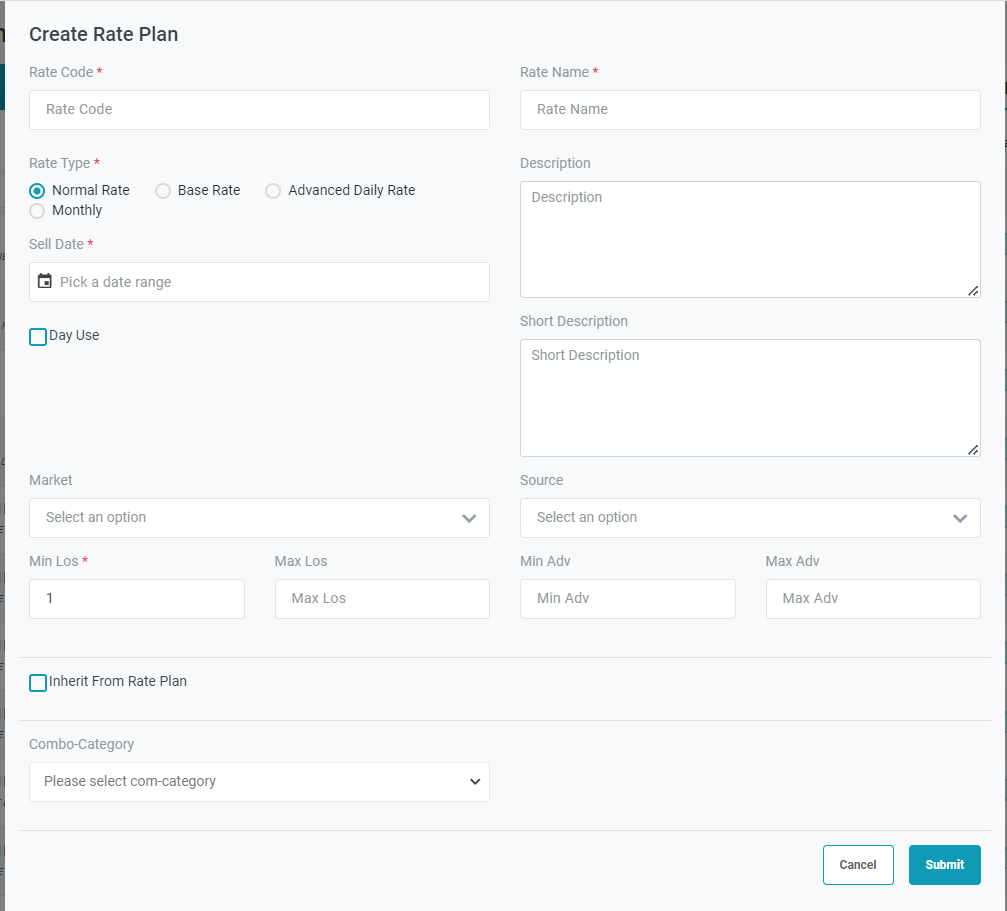
[Inherit From Rate Plan] 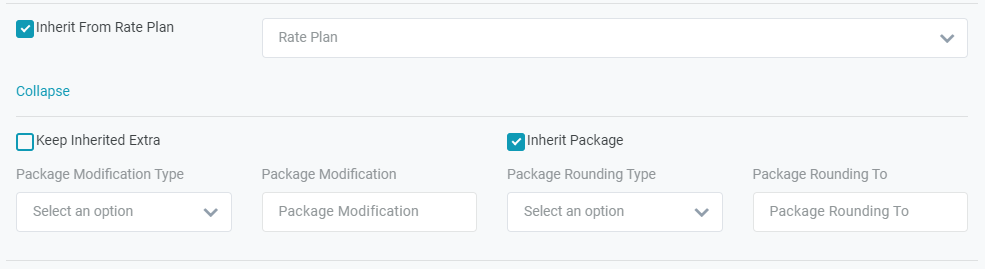
Select “Advanced” 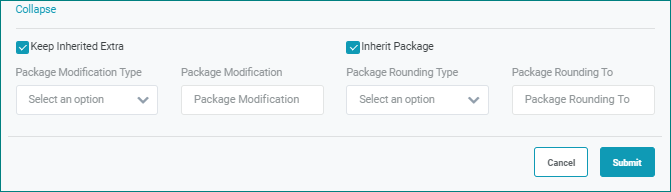
Submit: Select Submit to create the rate plan. You will be redirected to the Rate Plan Details screen. [Assign Package] - Assign Global Package to the Global Rate Select the Edit icon, go to the tab Packages. Select the trash icon to delete a package. 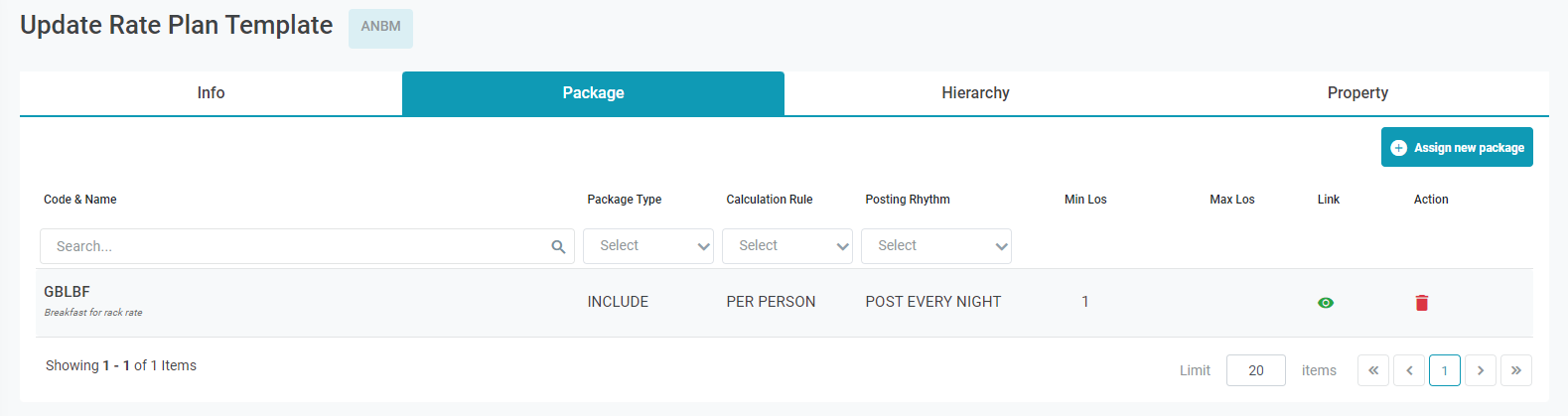
Import Rate Plan Template 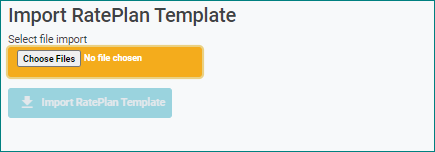
Use this template to import the Rate Plan to the system. 20201103 - Sample Global Rate.xlsx II. Property Distribute - Distribute the Global Rate Plan to the properties
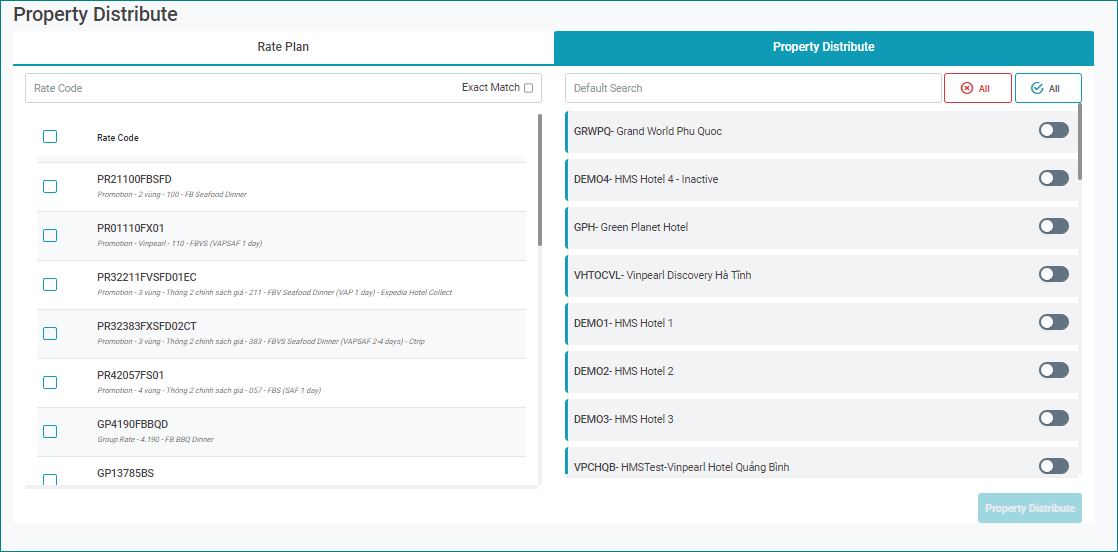
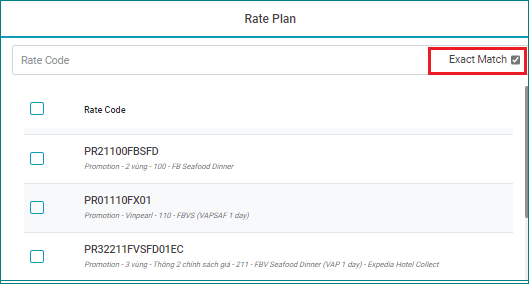
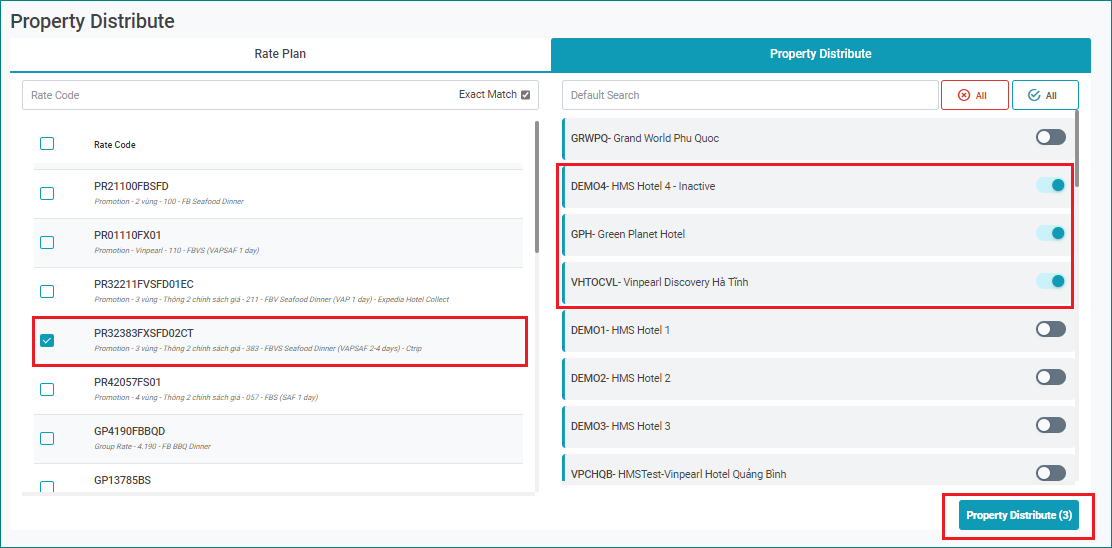
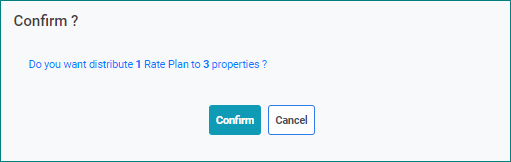
After distributing, the Update Rate Plan Template will have another tab “Property” where the list of distributed properties displays. 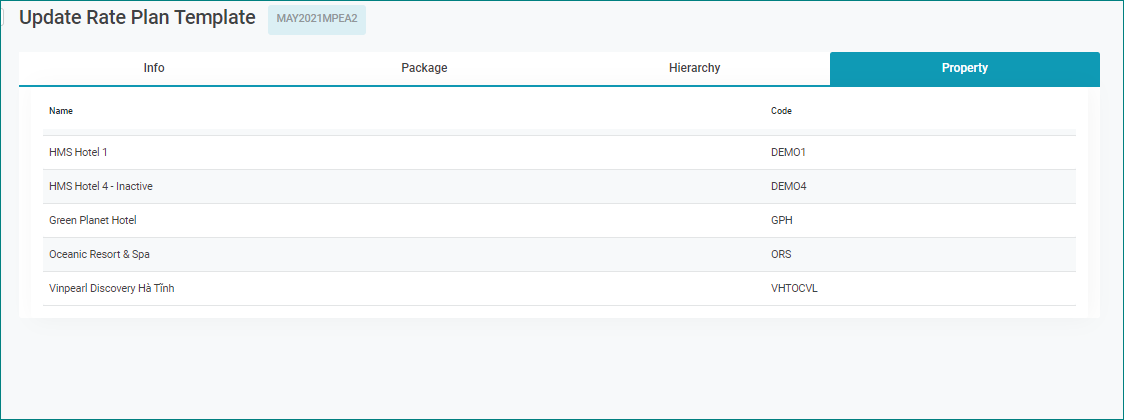
|
Remarks
|
|
N/A |