[Eng] Report Task Assignment

Screen Name

Report

Log in – Housekeeping – Report – Task Assignment

Summary

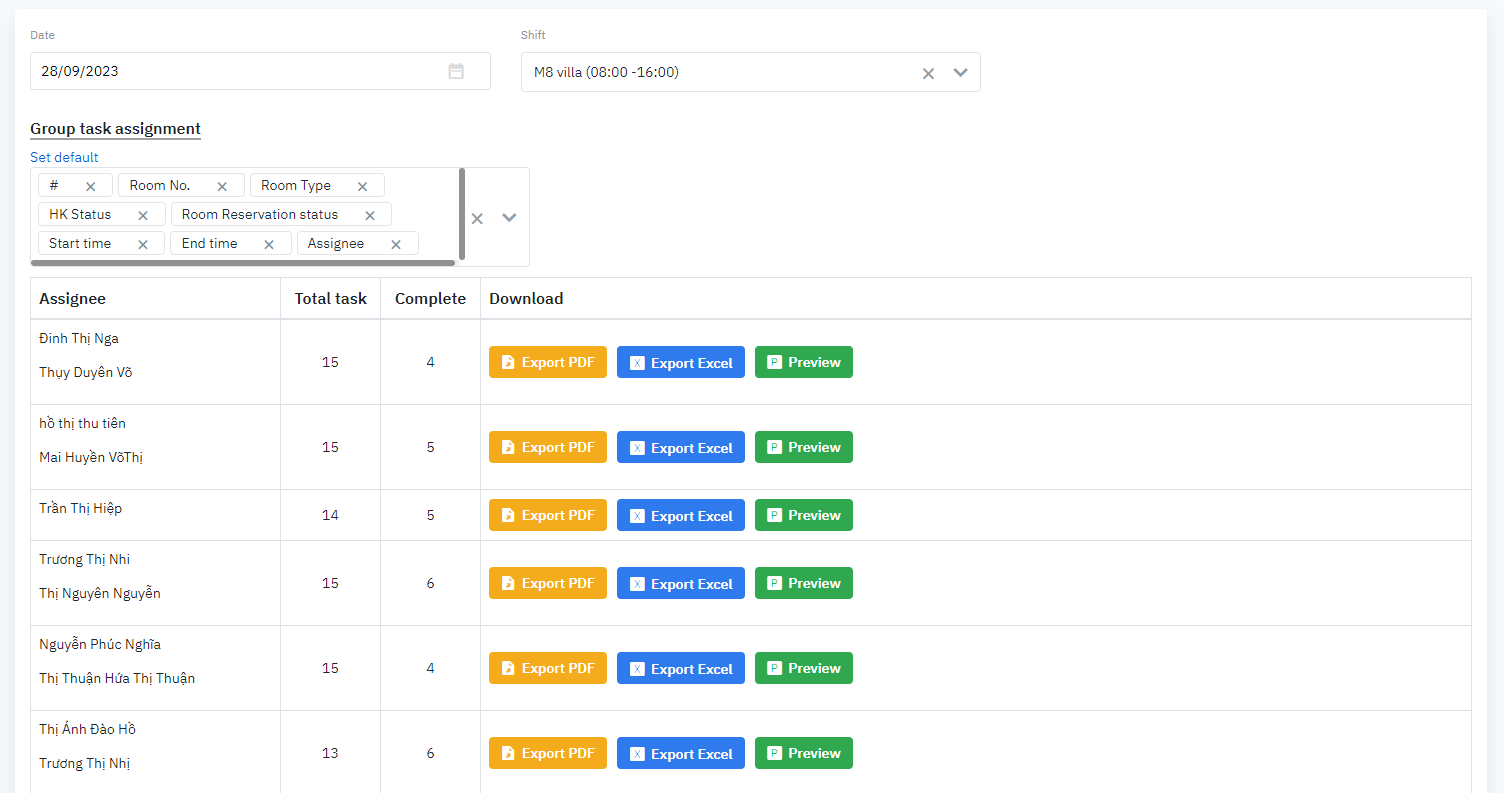
The report provides the details of assigned tasks by shift and the details of the room status.

Screen

image-20230928-180429.png


Fields Description

Search criteria

image-20230928-180941.png
  • Date: Select the date to extract the report

  • Shift: Select the shift from the pre-configured list

Results

image-20230928-180906.png
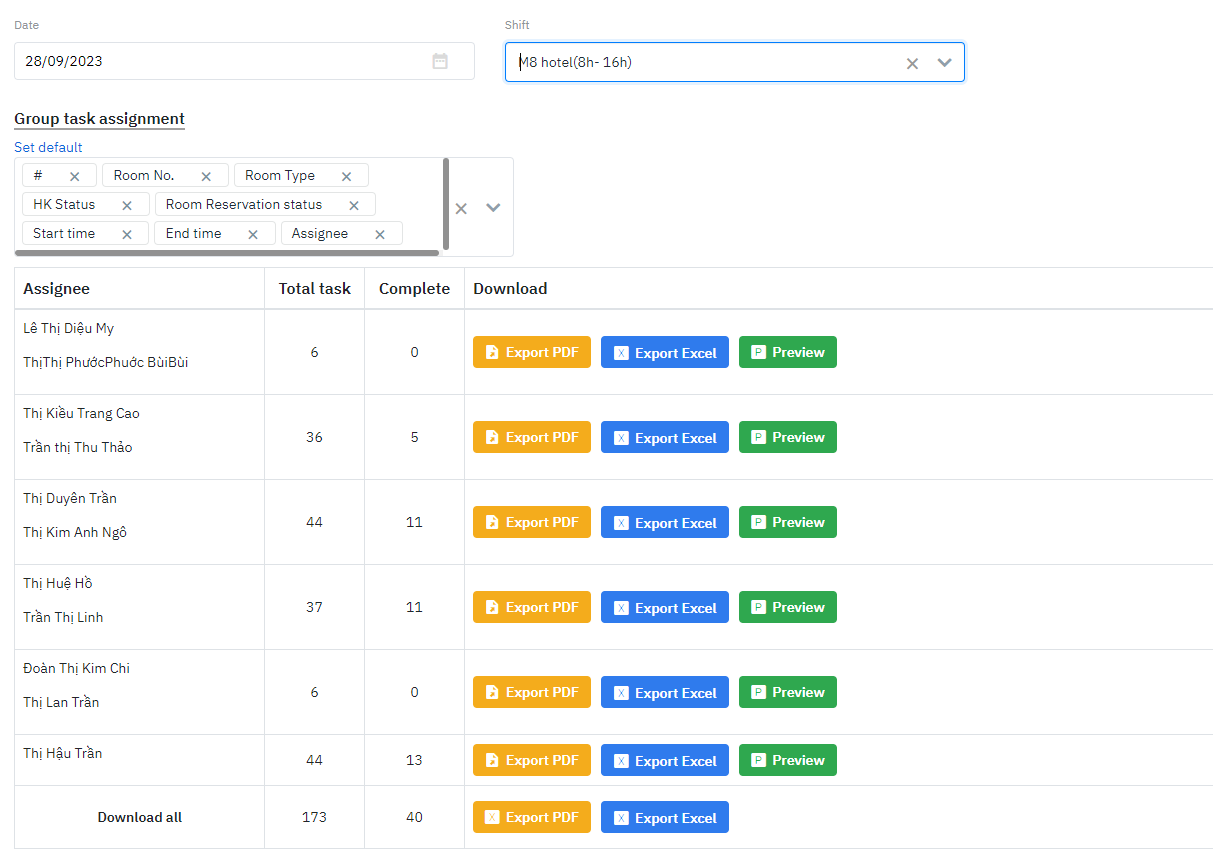
  • Assignee: Name of the staff

  • Total task: Total number of assigned tasks

  • Complete: Total number of completed tasks

  • Download: Download the PDF/Excel file of the report for each member of staff

  • Download All: Download the PDF/Excel file of the report for all staff

Preview the report

image-20230928-181120.png


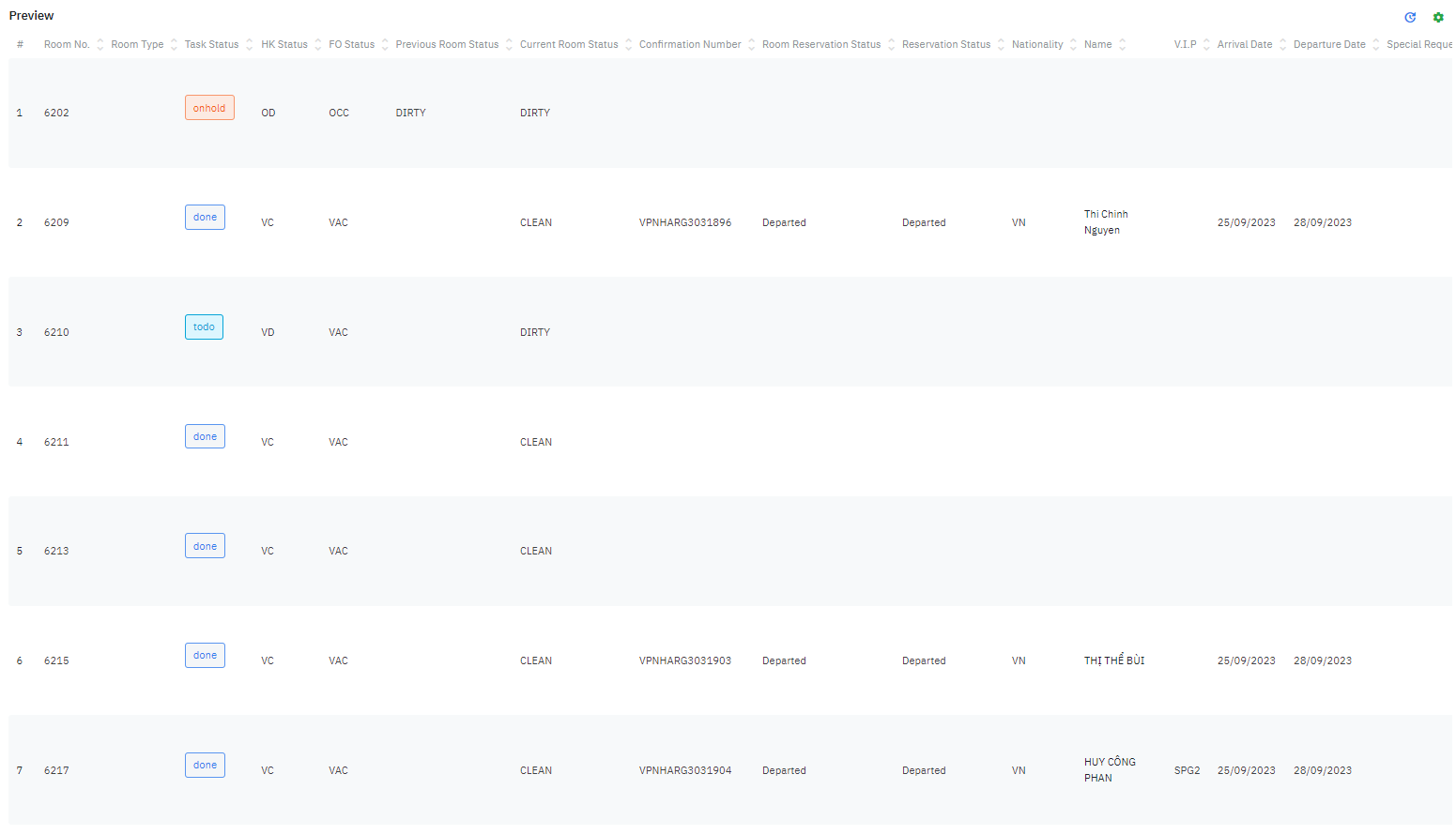
  • #: Order Number

  • Room No: Room Number

  • Room Type

  • Task Status: Status of the task

  • HK Status: Status of the room that is keyed in by the HK department

  • FO Status: Status of the room that is keyed in by the FO department

  • Previous Room Status: Previous status of the room before cleaning

  • Current Room Status: Current status of the room

  • Reservation Status: Status of the reservation

  • Nationality: Nationality of the Guest

  • Name: Name of the Guest

  • VIP: VIP Level of the Guest

  • Arrival Date: Arrival Date of the Guest

  • Departure Date: Departure Date of the Guest

  • Special Request: Special Requests of the Guest

  • Note: Reference note (if any)

  • In Time: Start time of the task

  • Out Time: End time of the task

  • Duration: Duration of the task

  • Assignee: Assignee Staff

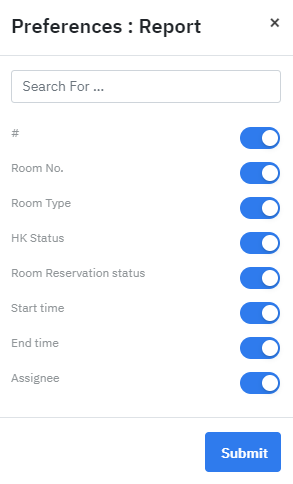
  • Preference Report: You can activate/inactive a field that you want to display on the report

    image-20230928-181312.png

Remarks

The export file (PDF/Excel) will contain the same data fields as the Preview screen.