[Eng] Smoking

Screen Name

Smoking

Log in >> Admin setting >> Setup >> General >> Smoking

Summary

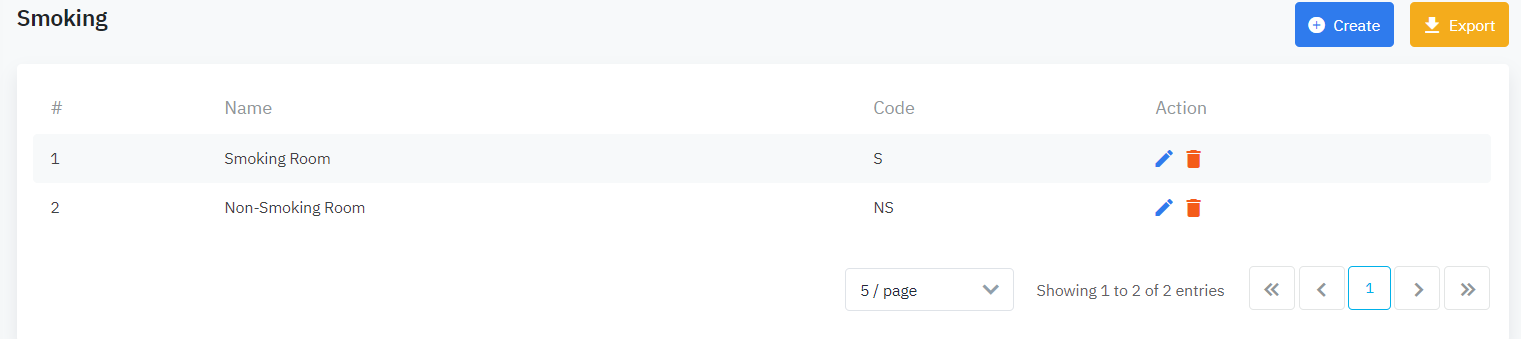
The screen allows you to configure the smoking/non-smoking room.

Screen

image-20200409-024904.png

Fields Description

  • Name: Name of the smoking/non-smoking room

  • Code: Code of the smoking/non-smoking room

  • Action:

    • Edit: Edit the information

      image-20200409-031036.png
    • Delete: Delete the smoking/non-smoking room

      image-20200409-031047.png
    • Export: Export the configuration to PDF/Excel file

      image-20200409-031057.png
    • Create: Create a new smoking/non-smoking room

      image-20200409-031120.png

Create

image-20200409-025125.png
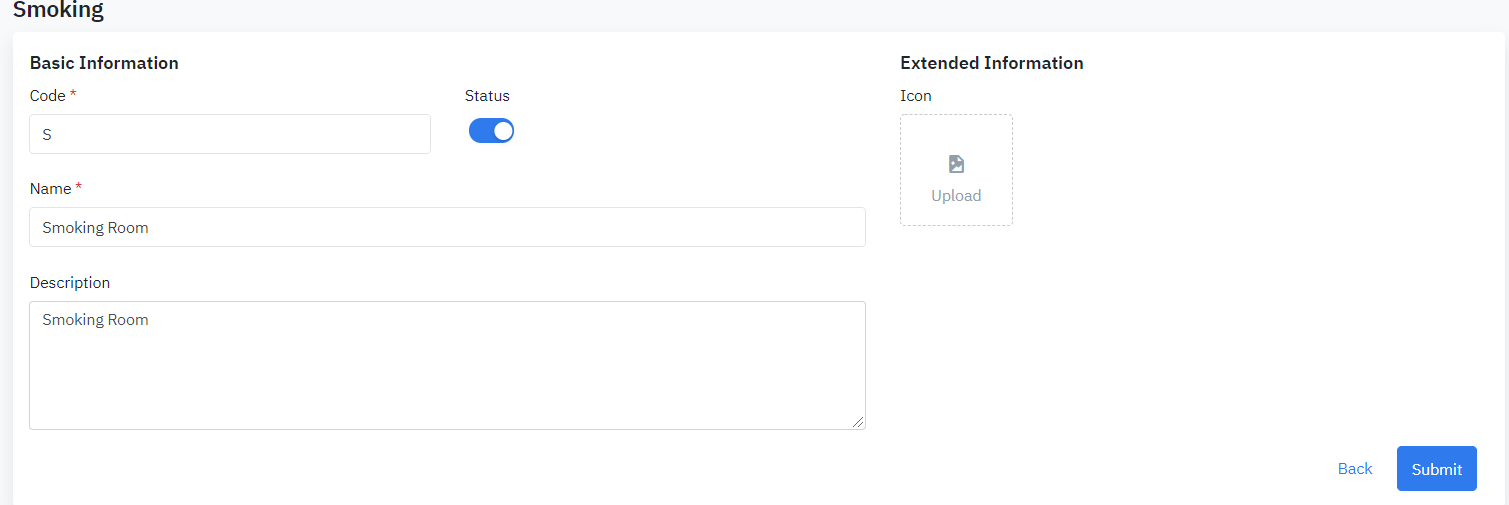
  • Name: Name of the smoking/non-smoking room

  • Code: Code of the smoking/non-smoking room

  • Status: Status of the smoking/non-smoking room (Active/Inactive)

  • Description: Description of the smoking/non-smoking room

  • Extended Information: Upload the photo for the smoking/non-smoking room

Select Submit to save the configuration.

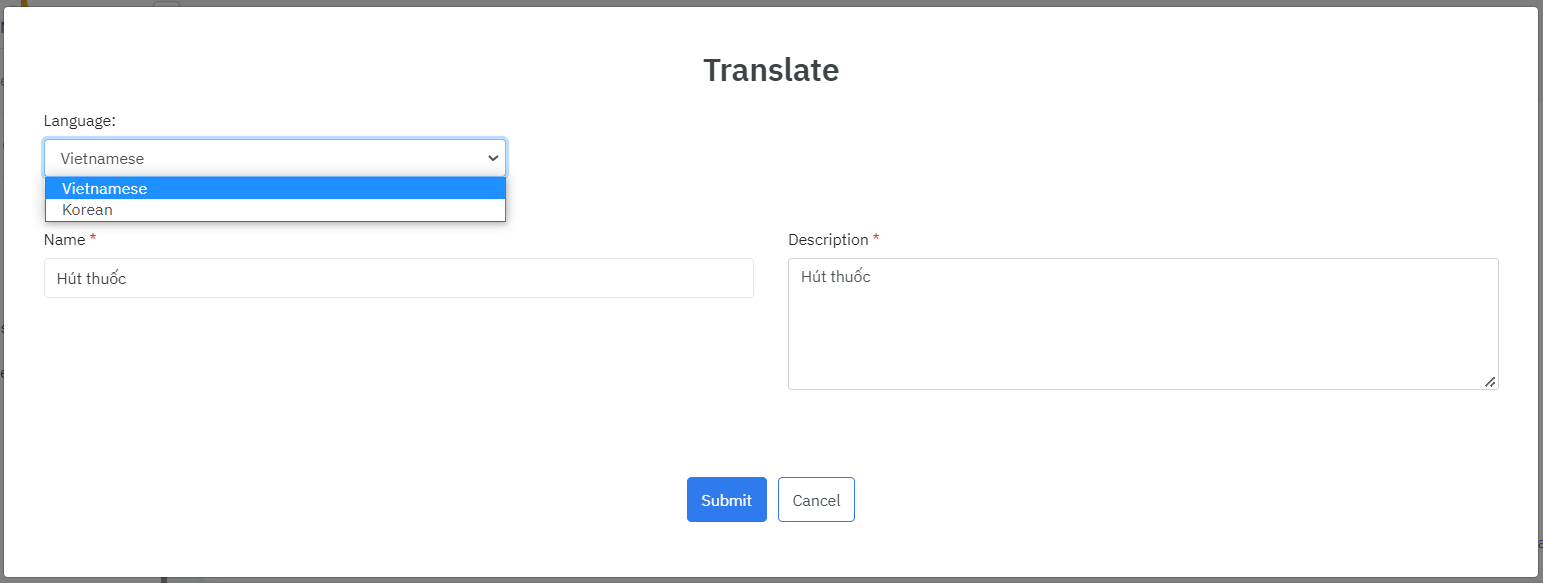
The system can support 2 languages Korean and Vietnamese.

image-20200408-172138.png
image-20221004-113145.png