[Eng] Channel Manager Dashboard

Screen Name

Dashboard

Log in – Channel Manager – Dashboard

Summary

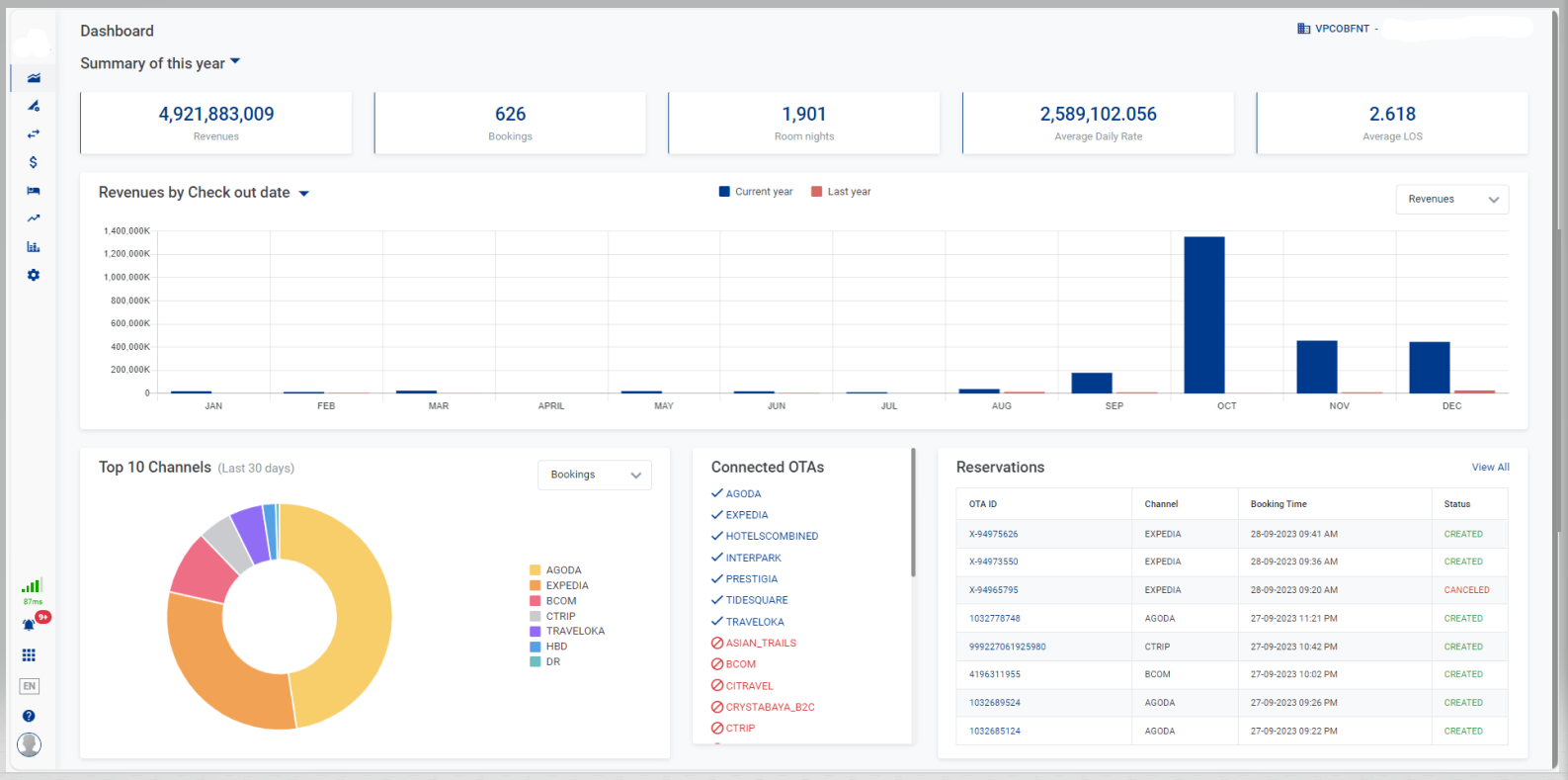
The dashboard provides the statistics on the revenue and the bookings for all distribution channels.

Screen

image-20230928-042958.png


Fields Description

Select Property

Select the property that you want to display the statistics (you can only select the properties to which you have access).

[Summary] - General information

  • You can filter the data by:

    • Today: display the data of today

    • This week: display the data of this week

    • This month: display the data of this month

    • This year: display the data of this year

    • In custom range: select the custom date range

  • The dashboard provides the statistics by different criteria:

    • Revenues: Revenues from the reservation

    • Bookings: Number of bookings

    • Room nights: Number of room nights that are sold

    • Average Daily Rate: Average daily rate amount

    • Average LOS: Average length of stay

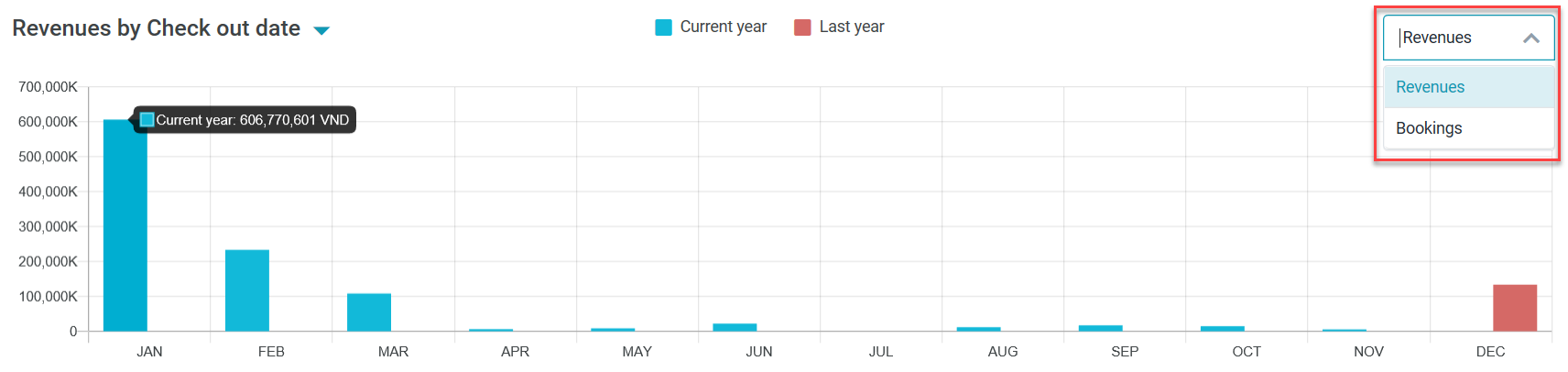
[Revenues/Bookings] - Chart of Revenues/Bookings of current year

  • Select Revenues or Bookings on the drop-down list to display the statistics by revenue or by number of bookings

  • Hover the mouse on the chart to view the details by month

    image-20200414-083821.png
    image-20200414-071617.png
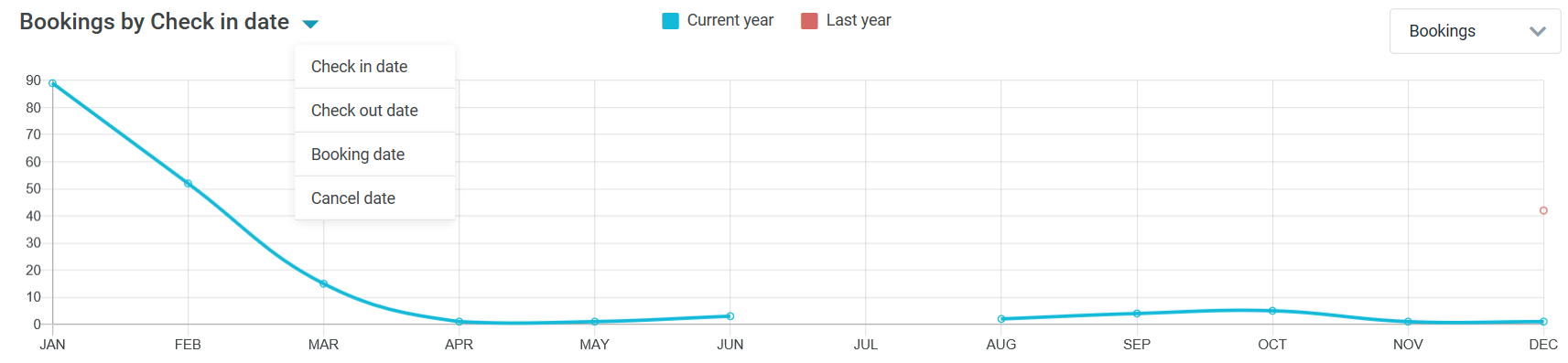
  • You can filter the data by:

    • Check in date: Check in date of the reservation

    • Check out date: Check out date of the reservation

    • Booking date: Date when the reservation is created

    • Cancel date: Date when the reservation is canceled

[Top 10 Channels] - Chart of Top 10 distribution channels for last 30 days
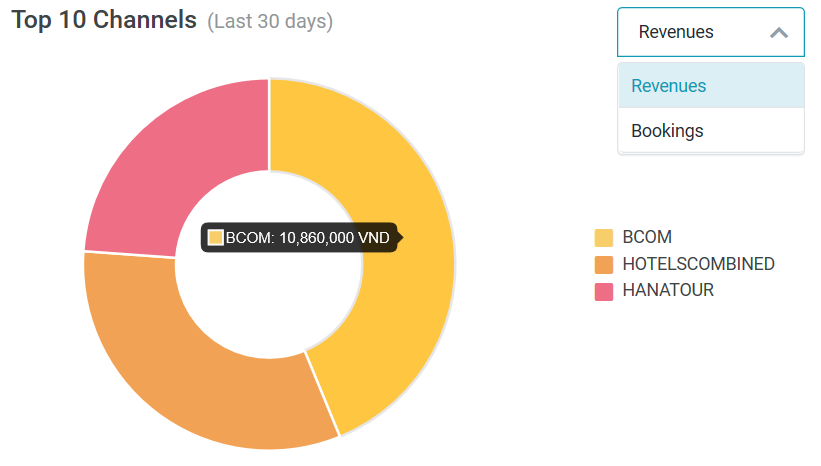
  • Select Revenues or Bookings on the drop-down list to display the statistics by revenue or by number of bookings

  • Hover the mouse on the chart to view the details by distribution channel

image-20200414-072849.png

[Reservations] - Details of reservation

Select View All to view all the Reservations, links you to the page [Eng] Reservations.
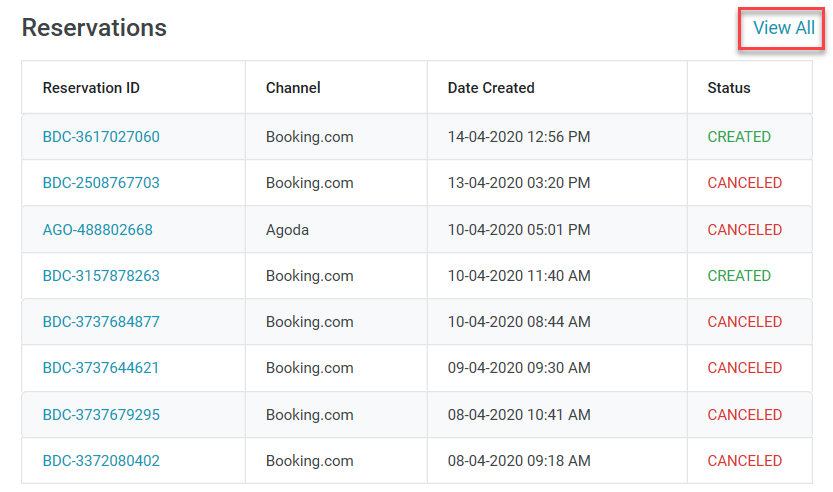
image-20200414-082514.png

[Connected OTAs] - Information on Connected OTAs

List of OTAs Connected or Disconnected from the Establishment
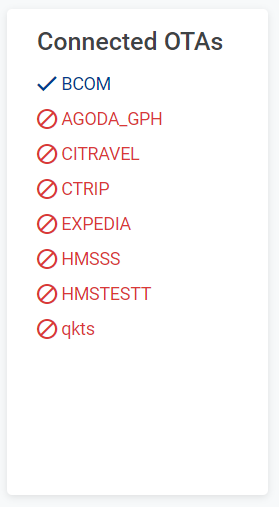
image-20230928-043523.png


Remarks

N/A