[Eng] Task List

Screen Name

Task List

Log in – Transportation - Report - Task List

Summary

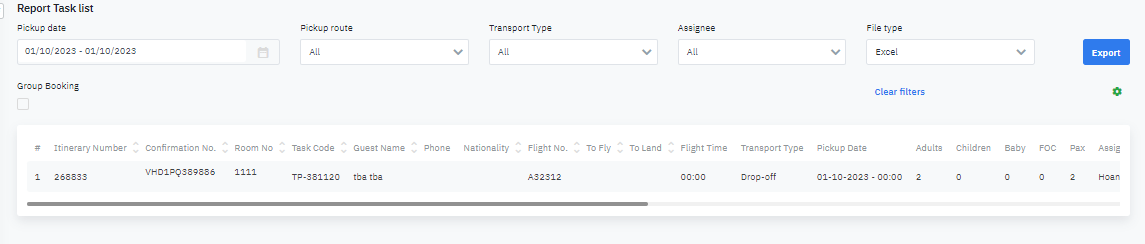
The report shows the details of Task in the requested period by the user

Screen

image-20231001-045754.png

Fields Description

Search information field

  • image-20231001-045849.png

    Pickup date: Select the period to Export the report

  • Pickup route: Select the Pickup route to Export the report

  • Transport Type: Select the Transport Type to Export the report

  • Assignee: Select the Assignee to Export the report

  • File type ( Excel/ PDF): Select the File type to Export the report

  • Click on Group booking to search the task of group booking

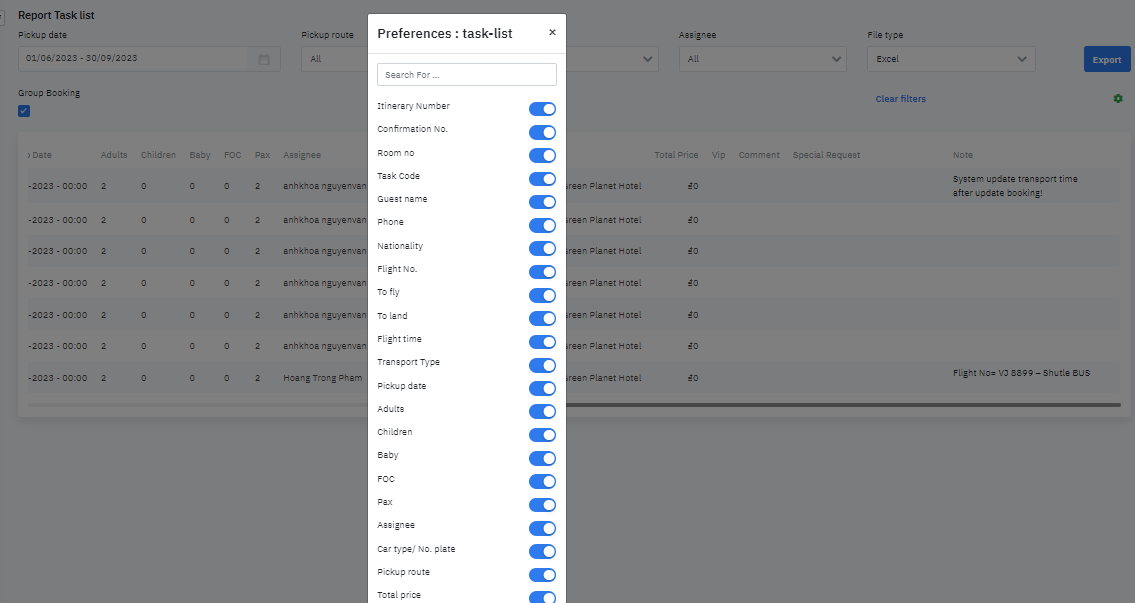
  • Select the settings icon to add or hide the fields of information to show in the report

image-20231001-050019.png

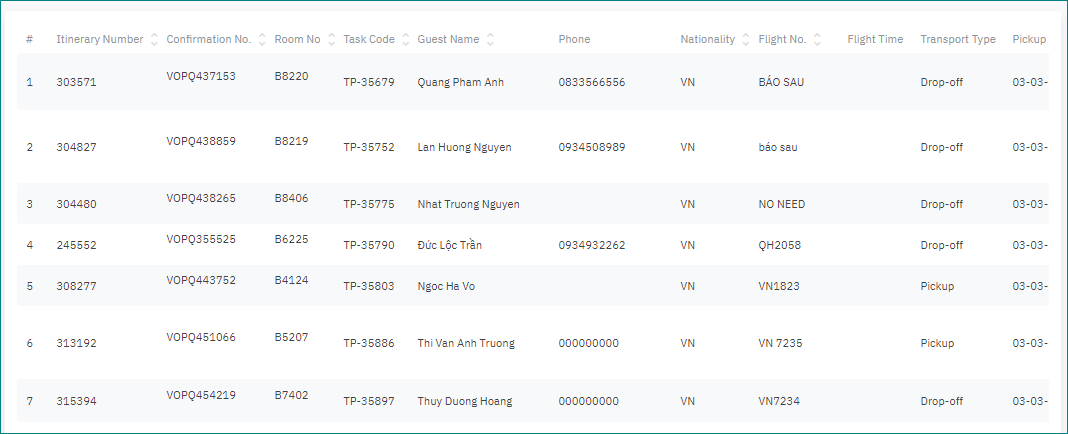
Result screen

  • image-20210303-072211.png

    Order number/#

  • Itinerary Number

  • Confirmation No

  • Room No

  • Task Code

  • Guest Name

  • Phone Number

  • Nationality

  • Flight No

  • Flight Time

  • Transport type

  • Pickup Date/Time

  • Adult

  • Child

  • Baby

  • FOC

  • Total Pax

  • Assignee

  • Car: Type / Plate

  • Pickup Route

  • Total Price

  • Comment

  • Special Request

  • Note