[Eng] Company Profile

Screen Name

Company Profile

Log in – Front Office – Profiles – Select “New Profile” – Select “Company”

Summary

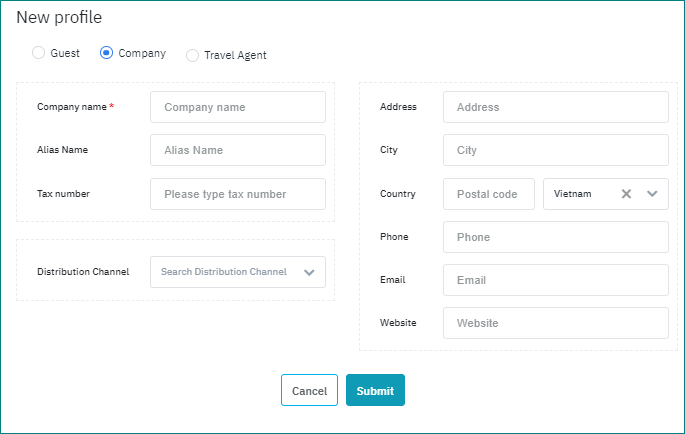
The screen allows you to add a new Company Profile.

Screen

image-20210225-090150.png


Fields Description

Enter the following information to create a new company profile:

  • Company Name: Enter the Company name

  • Alias Name: Enter the Alias name

  • Tax Number: Enter the Tax Number

  • Distribution channel: Distribution channel for the company

  • Address: Enter the address of the company

  • City: Enter the City

  • Country: Select from the Countries list of values

  • Postal Code: Enter the postal code

  • Phone: Enter the phone number of the company

  • Email: Enter the email of the company

  • Website: Enter the URL of the website of the company

Remarks

N/A